

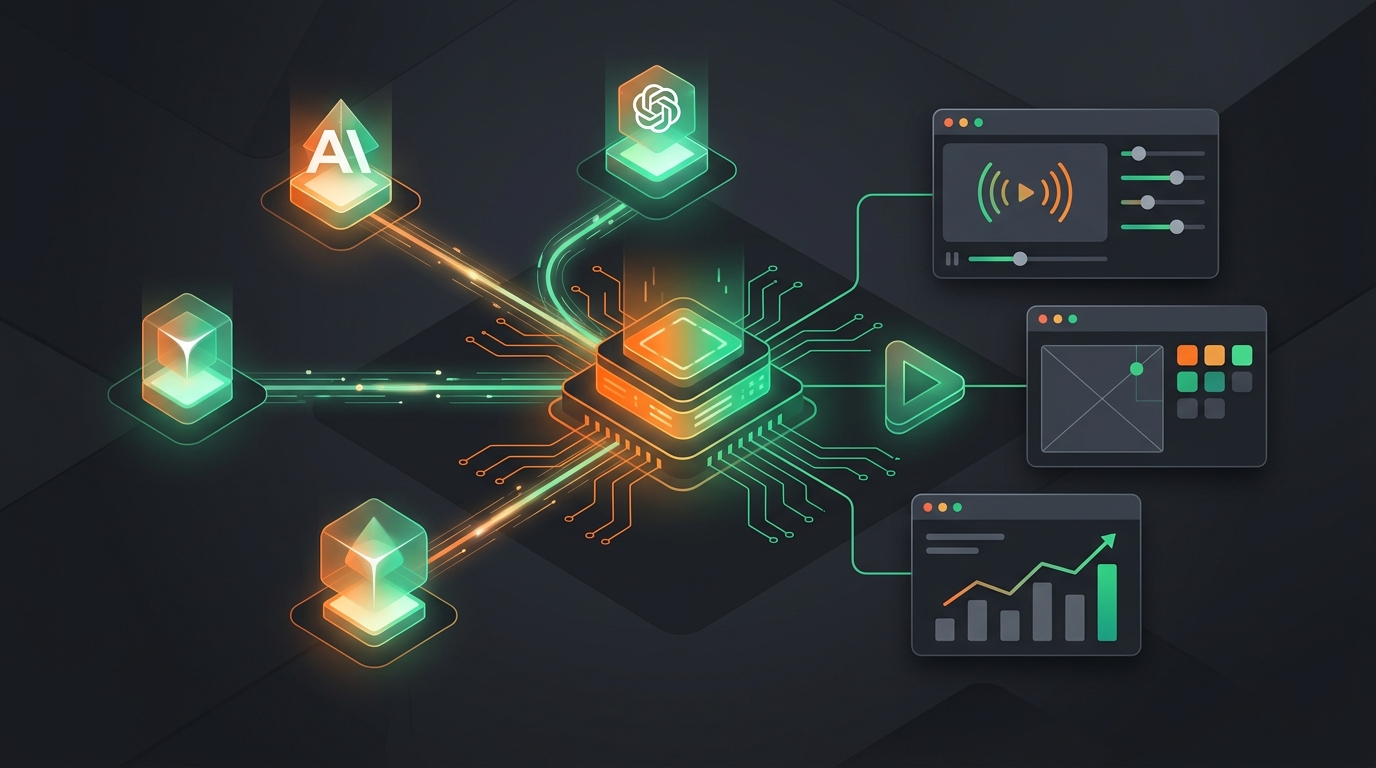
Connect Claude, Cursor, and ChatGPT to VidSeeds: The MCP Server, Explained
VidSeeds.ai runs an MCP server, so an AI client like Claude, Cursor, or ChatGPT can optimize your video, build a thumbnail, and pull analytics directly. Here's what it does, how to connect it, and what it costs.
VidSeeds.ai Team
By
The VidSeeds.ai MCP server lets an AI client — Claude, Cursor, ChatGPT, Claude Code, Codex, and most others — run VidSeeds for you. Instead of switching to a browser to optimize a title or generate a thumbnail, you ask your assistant in the chat you're already in, and it calls the same VidSeeds tools the web app uses. You stay in one window; the work still happens against your real channels, your learned voice profile, and your actual Seeds balance.
What is MCP, in plain terms?
MCP stands for Model Context Protocol. It's an open standard — Anthropic published it in late 2024 — that gives an AI assistant a safe, defined way to use tools outside itself. Think of it as a power outlet: any compatible client plugs in, and the server on the other end exposes a list of actions the assistant is allowed to take. Nothing fancier than that.
VidSeeds.ai runs one of those servers. When your AI client connects, it sees our tools by name — vidseeds_optimize_marketing_metadata, vidseeds_generate_thumbnail, vidseeds_get_youtube_analytics, and the rest — and can call them with your permission. The assistant does the reasoning ("which of these five titles fits this video?"); VidSeeds does the part it's actually good at: reading the video's speech, scenes, and meaning, then writing metadata for it.
It's the same capabilities as the web app, handed to an agent. If you can do it at vidseeds.ai, you can ask an AI client to do it through the MCP server.
What can the AI actually do once it's connected?
It can run the full toolkit, so the things you'd normally click through become things you ask for. A few that creators reach for first:
- Analyze a long video and return several title, description, and tag options built for search and retention.
- Generate or restyle a thumbnail, using your past thumbnails and learned style as the reference.
- Pull your YouTube analytics and point out where retention drops.
- Extract the strongest 45–60 second moments from a longer master for Shorts, captions included.
- Localize a title, description, and chapters for another audience — metadata translation across 85 languages, with cultural references adapted, not just swapped word for word.
- Prepare a YouTube upload and walk you through a publishing checklist.
One honest limit worth stating: the publishing tools still ask for confirmation. An assistant can draft and prepare everything, but the actual "make this live" step waits for your explicit yes, the same way it does in the app. That's deliberate — your channel, your final word.
VidSeeds.ai is a pre-upload video SEO platform, not a video generator. The MCP server doesn't create video; it analyzes the video you already have and writes the metadata and thumbnail for YouTube, TikTok, Instagram, Facebook, LinkedIn, and X. If you're weighing it against vidIQ or TubeBuddy, that's the right shelf — it's an independent alternative you'd evaluate beside them, not a replacement for your editor.
How do I connect VidSeeds to Claude or another AI client?
You connect with one of two credentials: an OAuth 2.1 sign-in (with PKCE, the standard secure flow — no password leaves your hands), or a Personal Access Token you create in your account. There is no email-and-password step anywhere; VidSeeds doesn't use passwords.
The endpoint every client points at is the same:
https://vidseeds.ai/api/mcp
The general shape of the setup:
- For clients that support OAuth (Claude.ai and Claude Desktop, for instance), add VidSeeds as a custom connector, paste that endpoint, and approve the VidSeeds sign-in screen that pops up. Your tools appear under the connector right away.
- For everything else — Claude Code, Cursor, Codex, VS Code, Cline, Zed, and generic MCP clients — create a Personal Access Token in your VidSeeds account (Settings → MCP Settings, at vidseeds.ai/settings/mcp-settings), copy it once, and give it to the client as a Bearer credential. Tokens look like
vs_pat_…. - Point the client at
https://vidseeds.ai/api/mcp, send the token asAuthorization: Bearer vs_pat_your_token_here, and confirm the server shows up healthy. In Claude Code,/mcplists it.
The exact config lines differ per client, but the pattern doesn't change: point at the endpoint, prove it's you, done. Claude Code also has an official plugin if you'd rather install than hand-edit config.
Is the MCP server free?
No — the MCP endpoint is paid-only, with a 14-day free trial that starts the first time you connect a client. This is the one place VidSeeds works differently from the web app. The web app gives you a free start with Seeds; the MCP server gives you 14 days, anchored to your first successful connection, after which an active paid plan keeps it on.
Seeds still meter per-tool usage exactly as they do on the web. Generating a thumbnail through Claude costs the same Seeds as generating it in the browser — the connection is just a different doorway into the same account, the same balance, and the same activity log. Anything an AI client does through the server shows up in your VidSeeds activity, so there's no quiet background work you can't see.
Why would I use it instead of the web app?
Because the handoff is the slow part. You think through a video in Claude or Cursor, then jump to a browser, optimize, generate a thumbnail somewhere else, and carry the results back. The MCP server removes that round trip: the reasoning and the execution stay in one conversation. On my own channel, the packages I used to assemble across three tabs now come together in the chat where I was already writing the script.
It won't fix a video nobody wants to watch — no tool will, and I'd rather say so than pretend. What it does is let the AI you already talk to act on real video SEO tasks, with your channel's actual context behind it, instead of just suggesting titles in the abstract.
Frequently Asked Questions
Which AI clients work with the VidSeeds MCP server?
Any client that speaks the Model Context Protocol over a remote HTTP connection. That includes Claude.ai, Claude Desktop, Claude Code, Cursor, ChatGPT, Codex, VS Code, Cline, Zed, and generic MCP clients. OAuth-capable clients sign in directly; the rest use a Personal Access Token.
Do I need a password to connect?
No. VidSeeds authenticates the MCP server with OAuth 2.1 (PKCE) or a Personal Access Token. There's no email-and-password login anywhere in the product.
Is the MCP server free?
It's paid-only, with a 14-day free trial that begins on your first connection. After the trial, an active paid plan is required. Seeds meter individual tool usage the same way they do in the web app.
Will the AI publish a video without asking me?
No. Publishing tools require explicit confirmation. An assistant can analyze, draft metadata, build a thumbnail, and prepare an upload, but the step that pushes anything live waits for your approval.
What can it actually do with my channel?
The same things the web app does: pre-upload analysis, titles and descriptions, tags, chapters, thumbnails, Shorts clips extracted from your existing video, analytics, and metadata translation across 85 languages for 6 platforms (YouTube, TikTok, Instagram, Facebook, LinkedIn, X).
Continue Reading

Is VidSeeds Safe for Your YouTube Channel? Here's What You Keep
VidSeeds connects to YouTube through Google OAuth, never your password, and publishes nothing without your confirmation. Here's exactly what access you give and what stays yours.
Diagnose a Music Video Before You Release It
The first day or two after a music video goes live carries most of the algorithm's weight, and you can't redo a launch. Here's what to check before you publish.
How to Optimize Your Metadata Without Sounding Like Every Other Channel
Author-voice optimization keeps your titles and descriptions sounding like you, not a template. Here's how AI can learn your style from your own past videos and draft metadata in it.